All Deleted Messages Recovery
- 4.2
- Rating
- 10.00M
- Installs
- Free
- Price

 Analysis by App-foxy
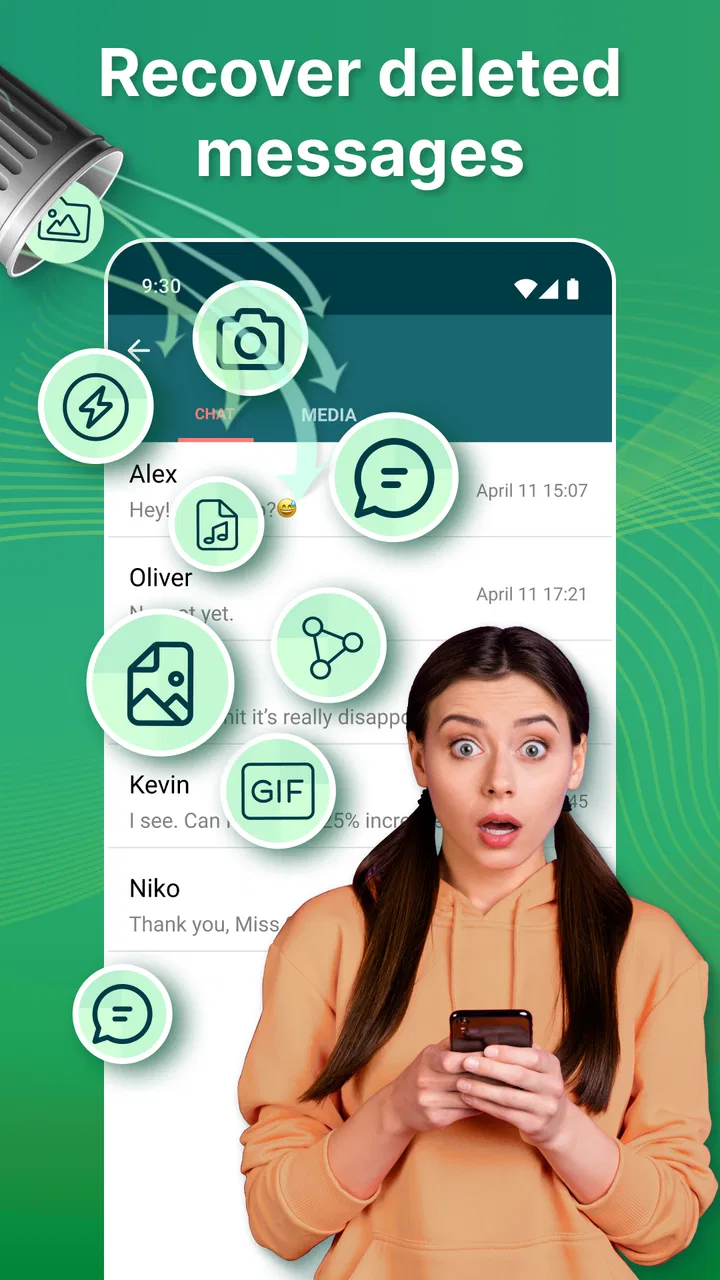
Deleted messages create a very particular kind of uncertainty. A conversation can suddenly look incomplete, and I may spend more time wondering what was removed than I would have spent reading the original message. All Deleted Messages Recovery is built for that moment: it is a free communication app from Battery Stats Saver that helps surface deleted messages and media when the app has been able to capture them through its normal operation.
After using it, my view is fairly balanced. It can be useful when a disappearing message contains practical information, such as an address, a delivery detail, or a change to a plan. It can also reduce the urge to keep asking someone what they wrote. At the same time, it is not a universal rewind button, and using it carelessly can make ordinary conversations feel more monitored than they should. The real question is not only whether it can recover something, but whether recovering it improves communication in that situation.
How All Deleted Messages Recovery fits into everyday conversations
I find the most useful way to think about this app is as a small pause between noticing a deleted message and deciding how to respond. That pause can help me separate practical details I need from content that is better left alone. Next, I’ll look at how that distinction plays out when a conversation is moving quickly.
You May Also Like

 Blood Strike: 2.5 Anniversary
Blood Strike’s Loadouts Turn Every Drop Into a Tactical Gamble
A close look at Blood Strike’s custom loadouts: how fast access to signature weapons reshapes its battle royale rhythm, rewards preparation, and narrows the gap between fights.

 Pandora - Music & Podcasts
Pandora’s Music Is Easy to Start, but Harder to Recover
Pandora’s strength is its low-effort path from a seed to a station. Its weak spot is how much confidence it asks you to place in connection, setup, and quiet recovery.

 8 Ball Pool
 Is Built on Rivalries, Rematches, and Routine
A close look at the rivalries, rematches, shared routines, and unanswered safety questions that turn a quick pool match into a persistent mobile community.

 Samsung Music
’s Quiet Strength Is Playing What You Already Own
Its reach comes less from spectacle than from dependable access to a personal library. That simplicity is both the app’s strongest retention engine and its ceiling.

 AccuWeather: Weather Radar
AccuWeather Review: A Quick, Clear Forecast for Everyday Decisions
For everyday plans, the best forecast is the one you can understand quickly. AccuWeather makes rain timing, radar, and local conditions easy to act on, with a few trade-offs.

 Hill Climb Racing
Why Hill Climb Racing Still Turns Crashes Into One More Run
A tiny car, a bumpy hill and one more upgrade: Hill Climb Racing keeps resurfacing because its simple chaos makes every near-miss feel personal.
More From Our News Desk



A tool for gaps in the conversation
The app’s main appeal is easy to understand. When a message disappears, I want to know whether it was an accidental deletion, a correction, or something that was removed intentionally. All Deleted Messages Recovery places itself between the original messaging service and my attention: instead of changing the conversation itself, it aims to let me view content that may have been noticed before it vanished.
That distinction matters. I would not treat it as a replacement for a messaging app, a backup service, or a complete archive. Its usefulness depends on what the phone and the communication app make available at the time. If the content was never visible to the recovery app, there is nothing sensible to retrieve. This is why I see it as a safety net for selected moments rather than a guaranteed record of every conversation.
The store summary presents it as a way to recover deleted messages and media, while the short description calls it All Deleted Messages. In practical terms, I found the strongest reason to use it is not curiosity. It is avoiding confusion when a conversation contains information I genuinely need to understand.
Getting started without changing my whole routine
The application is aimed at a broad audience, with an Everyone age rating and support for devices running Android 5.0 or later. That makes it accessible to people using older phones as well as more recent ones. I appreciate that the basic idea does not require learning a complicated communication system: the value comes from how it fits around conversations I already have.
My advice is to decide what problem I am trying to solve before relying on it. If I regularly miss important details because people delete messages quickly, the app may add useful context. If I simply want to inspect every removed message, it can encourage a habit that creates more tension than clarity. Setting that personal rule early makes the experience calmer.
It is also worth checking the app after installing it rather than assuming it will work invisibly in every circumstance. A recovery tool depends on timing, visibility, and the way the phone handles incoming content. I would test it with a harmless message first, then confirm that the result is understandable before trusting it with travel plans, work details, or family information.
What happens when a message disappears
The most helpful workflow is simple: a message arrives, I notice that it is later deleted, and I open the recovery app to see whether a readable copy or related media is available. That creates a separate viewing step instead of interrupting the original conversation. In my experience, this separation is useful because I can decide whether the missing content actually matters before replying emotionally.
A realistic example is a group chat organizing a pickup. Someone sends a location, removes it, and then posts a shorter correction. Rather than asking the whole group what happened, I can check the recovered material and compare it with the current message. If the first location was wrong, the recovered version explains the change. If it was merely a duplicate, I can ignore it and keep the conversation moving.
That workflow also reveals a trade-off. Seeing an earlier version does not prove that it remains relevant. A deleted message may have been removed because it contained a mistake, private information, or an unfinished thought. I treat recovered content as context, not as the final instruction. The newest message from the sender still deserves priority when a plan has changed.
Media recovery is useful, but context matters more
Messages are not the only reason people look at this kind of app. A deleted image, voice-related item, or other media can be more difficult to interpret without the surrounding conversation. A photograph might show a product, a document, or a location, but the sender may have removed it because the wrong file was attached. Recovering the media without asking why it disappeared can lead me to act on outdated information.
I found that the best use of recovered media is verification. If someone says, “I sent you the details,” and then deletes the attachment, the app may help me determine whether I missed something important. I still confirm the final version directly when accuracy matters. This two-step habit prevents the recovery view from becoming an unofficial source of truth.
There is another practical point: recovered material can clutter my attention. If several chats produce old media or repeated message fragments, the benefit quickly becomes harder to see. I prefer to open the app when I have a specific conversation in mind, rather than browsing it whenever I am bored. That small boundary keeps the tool connected to a real need.
How it changes the rhythm of replying
Without a recovery tool, a deleted message often creates an immediate impulse: “What did you delete?” That question can be reasonable, but it can also turn a minor correction into a confrontation. All Deleted Messages Recovery gives me another pause between noticing the deletion and responding to it. I can first work out whether the missing content affects me at all.
That pause is the app’s most valuable effect on communication rhythm. It shifts me from instant reaction to a short review process. If the deleted text was a typo, I can let it go. If it changed a schedule, I can ask a precise follow-up. If it was personal, I can respect the deletion instead of treating it as an invitation to investigate.
For busy group conversations, this can reduce repeated questions. A chat may move quickly, and a removed message can leave several people asking for clarification at once. Checking the available context before posting can prevent duplicate replies and keep the group focused. I would still avoid presenting recovered content as evidence in an argument, because that changes a practical tool into a social weapon.
The attention cost behind the convenience
There is a hidden cost to any app that promises to reveal things I missed: it can make me feel that every notification deserves inspection. If I start checking every deletion, my attention becomes tied to other people’s editing decisions. That is the opposite of what I want from a communication tool.
I get better results when I use a simple priority rule. I check recovered content when the conversation is connected to a task, a safety concern, a shared plan, or information I was expecting. I skip it when the deletion is clearly part of a casual exchange and no action depends on knowing what was removed. This keeps the app from turning ordinary messaging into continuous surveillance of the chat.
Another useful habit is to read the current conversation first. The sender may already have corrected the mistake, explained the deletion, or posted a replacement. Looking at the recovered version before the latest messages can make me focus on obsolete material. Reading in chronological context helps me decide whether the app has clarified the situation or merely added another fragment to interpret.
Where it differs from ordinary alternatives
The usual alternative is simply asking the sender to resend the message. That remains the clearest choice when the relationship is comfortable and the information is important. A direct request gives the sender control over what they want to repeat, and it avoids guessing from an earlier version. For personal conversations, I often prefer that approach.
Another alternative is relying on the messaging service’s own history or backup behavior. Those systems can be better suited to restoring a broader record, while this app is more focused on the everyday problem of a message disappearing during an active conversation. A full backup is more appropriate when I need long-term recovery; All Deleted Messages Recovery is more convenient when I need quick context around a recent exchange.
Manual screenshots or copying important details can also be more dependable for information I am responsible for. If a colleague sends a final address or a customer provides an instruction, I would save the confirmed version directly rather than assume a recovery app will preserve it. The app is strongest as a second chance, not as my only record-keeping system.
Privacy and personal boundaries
Deleted messages often disappear for a reason, so privacy is central to the decision to use this app. I would not install it on another person’s phone, inspect someone else’s conversations, or use recovered content to pressure a partner, friend, or coworker. Even when the app makes something visible to me, that does not automatically make it appropriate to quote or share.
My personal boundary is to treat recovered material as private context. I use it to understand what happened, not to build a case against the sender. If the content concerns someone else, I avoid forwarding it. If it reveals something sensitive that was clearly removed intentionally, I usually leave it alone unless there is a genuine practical or safety reason to clarify it.
This is also why the Everyone rating should not be mistaken for a promise that every use is harmless. The age classification describes broad suitability, but good judgment still matters. Younger users in particular may need guidance about consent, trust, and the difference between technical access and respectful behavior.
Performance expectations and everyday friction
The app has a 4.2 average from around 54 thousand ratings and more than 10 million installs, so it has clearly attracted a large audience. Those figures make it easier for me to take the product seriously as an established option, but they do not remove the need to test it on my own phone and with my own messaging habits. Recovery tools are especially dependent on circumstances, so popularity is not the same as a guarantee.
The current version is 2.1.7, and the developer is Battery Stats Saver. I would keep the app updated through the normal store process, particularly because communication apps and phone operating systems change over time. A setup that behaves well today may need attention after a messaging app changes how notifications or media are handled.
The free price is a strong reason to try it cautiously, although optional in-app purchases range from $0.99 to $99.99 per item. I would not pay for an upgrade simply because a deleted message feels urgent. First I would confirm that the free experience solves a recurring problem for me, then consider whether any paid option addresses a clearly understood need. A vague promise of “more recovery” is not enough reason to spend money on sensitive content.
Who will appreciate it most
I think the app suits people who participate in fast-moving group chats, coordinate family logistics, or frequently receive information that gets corrected soon after sending. It can also help someone who misses notifications and wants a chance to reconstruct the immediate flow of a conversation. In these situations, the value is less about collecting deleted material and more about reducing unnecessary back-and-forth.
It is particularly useful for someone who tends to react quickly to a deletion. Opening the app first can create a small mental buffer. That buffer may show that no response is needed, or it may help me ask a more focused question. Either outcome is better than replying from assumption.
I would skip it if I already have a reliable habit of asking people to resend important information, or if I strongly prefer minimal apps with no role in message history. I would also avoid making it central to professional record keeping. For work, contracts, medical details, financial instructions, or anything that may need to be audited, direct confirmation and deliberate storage are safer than depending on a deleted-message viewer.
My verdict on clarity, attention, and trust
All Deleted Messages Recovery is most convincing when I use it as a pause button for confusing conversations. It can recover useful context, reduce repeated questions, and help me distinguish a meaningful deletion from a harmless correction. Its communication benefit comes from slowing the reaction down, not from giving me permission to inspect everything that another person removes.
The app is free, broadly accessible, and focused on a problem many messaging apps leave unresolved. Its large install base and 4.2 average suggest that the idea resonates with many users. Still, I would approach it with realistic expectations: recovery depends on what was available to capture, and recovered content may be incomplete, outdated, or intentionally withdrawn.
My recommendation is therefore conditional but positive. Try it if deleted messages regularly disrupt plans or leave you missing practical details. Use it selectively, verify anything important, and keep the sender’s boundaries in mind. If your main goal is permanent archiving, direct saving or a proper backup is a better fit. If your goal is simply to regain a little clarity without immediately escalating a conversation, All Deleted Messages Recovery can be a useful addition to an Android communication routine.
In the end, I judge the app less by how much it can reveal and more by how responsibly it changes my behavior. Used with restraint, it gives me a moment to understand before I reply. That is its real strength: better context should lead to calmer communication, not less privacy.
FAQs for All Deleted Messages Recovery
01What is All Deleted Messages Recovery, and how does it work?
All Deleted Messages Recovery is an Android utility designed to help users find notifications and message content that may have been removed from supported messaging apps. It generally relies on notification history, saved notification data, or locally stored media rather than accessing deleted messages directly from a service’s servers. For this reason, recovery results depend on your phone settings, Android version, app permissions, and whether the notification was received before deletion.
02Can All Deleted Messages Recovery restore every deleted message?
No, the application cannot guarantee recovery of every deleted message. It may only detect content that was previously displayed in a notification or preserved on the device. Messages received while notifications were disabled, conversations opened without a visible preview, disappearing messages, and content deleted before the recovery tool was active may not be recoverable. Results can also vary between WhatsApp, Messenger, SMS, and other supported applications.
03What permissions does All Deleted Messages Recovery require?
To function correctly, All Deleted Messages Recovery may request notification access, permission to read or save media, and access to files or device storage, depending on the Android version and the features you enable. These permissions are important because the app needs to monitor incoming notifications or locate locally cached images and videos. Before accepting, review each permission carefully and disable any feature you do not need.
04Is All Deleted Messages Recovery safe and private to use?
Because recovery tools can handle private conversations, users should review the application’s privacy policy, developer information, and requested permissions before installation. Avoid granting access that seems unrelated to its purpose, and do not share sensitive notification data unnecessarily. The app may store recovered text or media locally, so protecting your phone with a lock screen and regularly clearing saved records is recommended, especially on shared devices.
05Does All Deleted Messages Recovery work on iPhone and Android devices?
The availability and functionality of All Deleted Messages Recovery depend on the platform and the specific version offered by its developer. Android applications can often use notification access or local storage features that are more restricted on iOS. iPhone users should verify whether an official iOS version exists and what it supports. Do not assume that an Android download, feature list, or recovery method will work on an iPhone.
Pros
- Recovers deleted text messages from supported notification history.
- Simple interface that is easy for beginners to navigate.
- Can help retrieve messages deleted accidentally or recently.
- Offers useful recovery tools without requiring advanced technical skills.
- Supports quick scanning
- saving time when searching for lost messages.
Cons
- Cannot recover messages deleted before the app was installed.
- Requires notification access
- which may raise privacy concerns.
- Recovery depends on notifications being received and stored correctly.
- May not restore attachments
- emojis
- or complete conversation threads.
- Ads or in-app purchases may limit access to some recovery features.

All Deleted Messages Recovery
Gallery